
Stop losing good applicants in your inbox.
Every application, CV and reply in one secure place. Screen faster, shortlist with your team and invite people to interview — from your laptop or your phone.
No software to install. Keep using your own website link whenever you prefer.
100% New Zealand Owned and Operated
No software to installWorks on your phoneCVs deleted automatically after 12 monthsThree steps from advert to interview.
Turn it on for any advert by choosing “On ManyJobs” under How do candidates apply?
Post your job
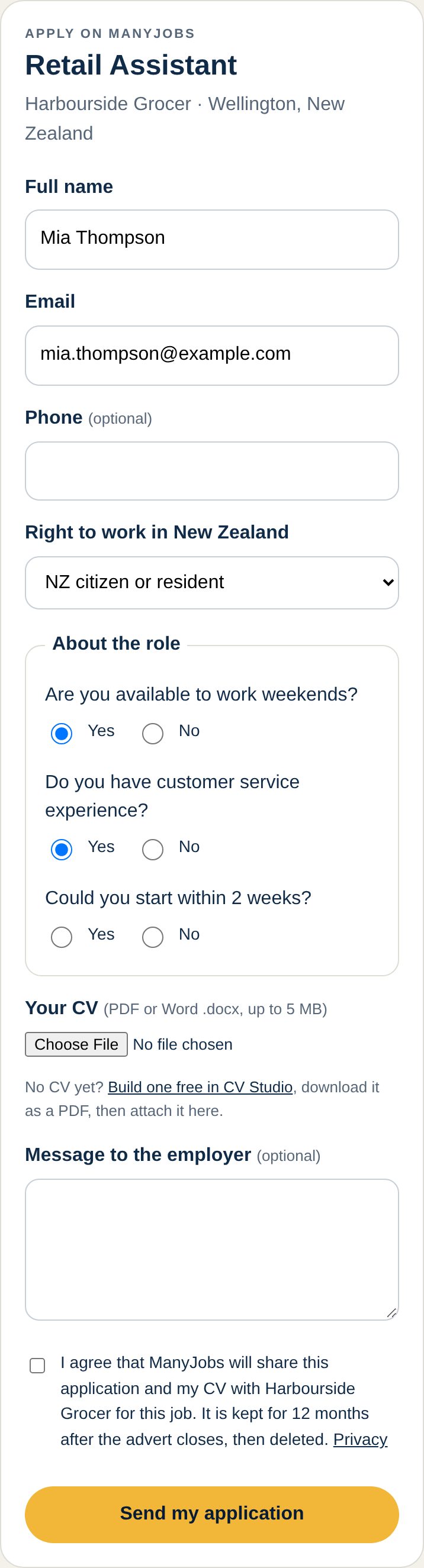
Create your advert as usual and choose “On ManyJobs”. Add up to five quick screening questions if you like.
Candidates apply in minutes
They send their CV and answers through a simple, mobile-friendly form. You get an email for every new applicant.
Shortlist and invite
Rate, move and message applicants in one inbox, then send a professional interview invitation with the date, time and place.
Everything you need. Nothing you don’t.
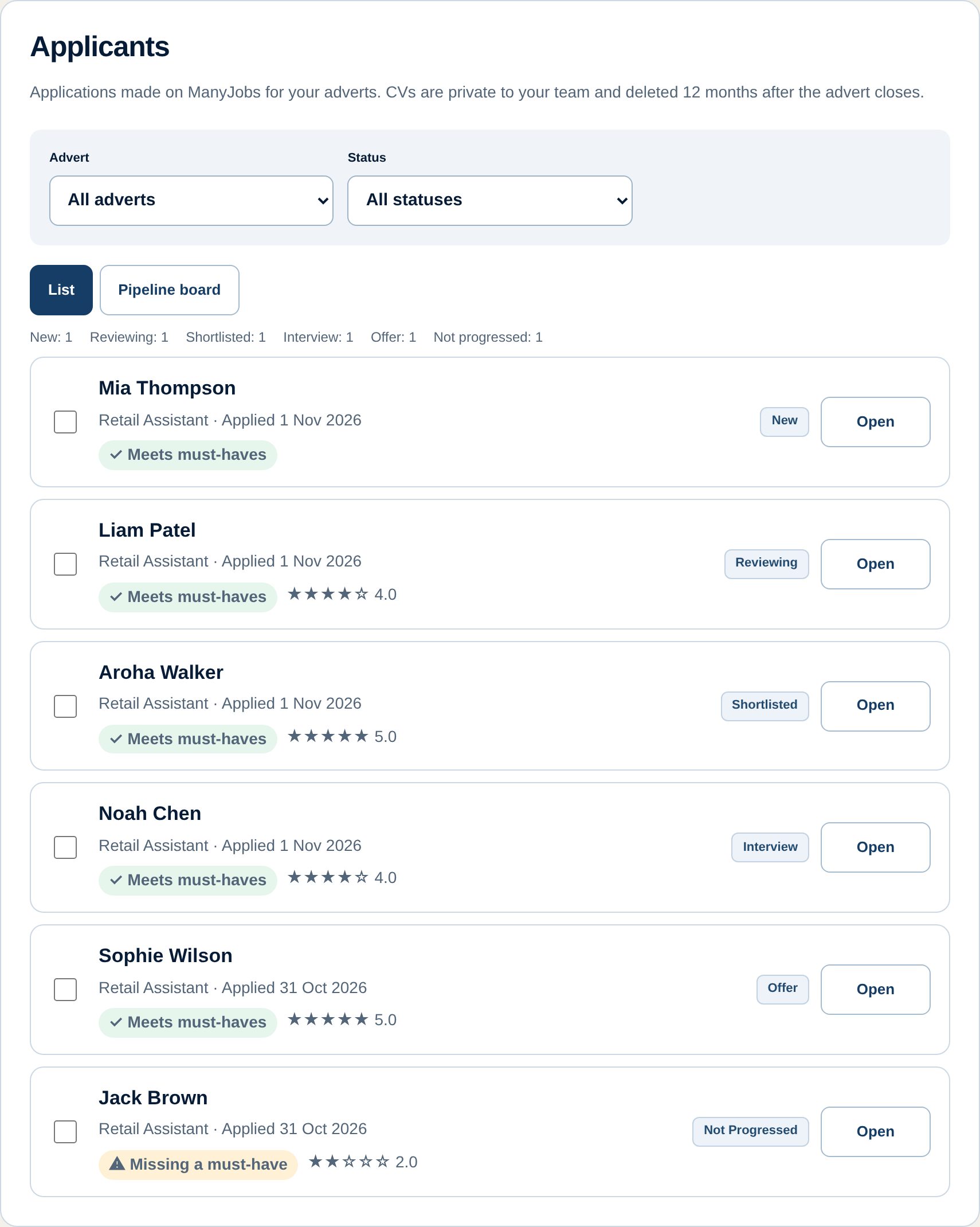
Every applicant, every CV, one place.
No more digging through email threads or losing a CV in someone’s downloads folder. Your whole team sees the same up-to-date list.
- Filter by advert and status
- Secure CV downloads for your team only
- Private notes and star ratings
Let the first sift happen on its own.
Pick up to five Yes/No questions from a vetted list — weekends, driver licence, start date and more. Mark the essentials as must-haves and we flag anyone who doesn’t meet them.
- Questions stay job-related and fair
- “Meets must-haves” at a glance
- Nobody is blocked from applying
See your whole hiring pipeline.
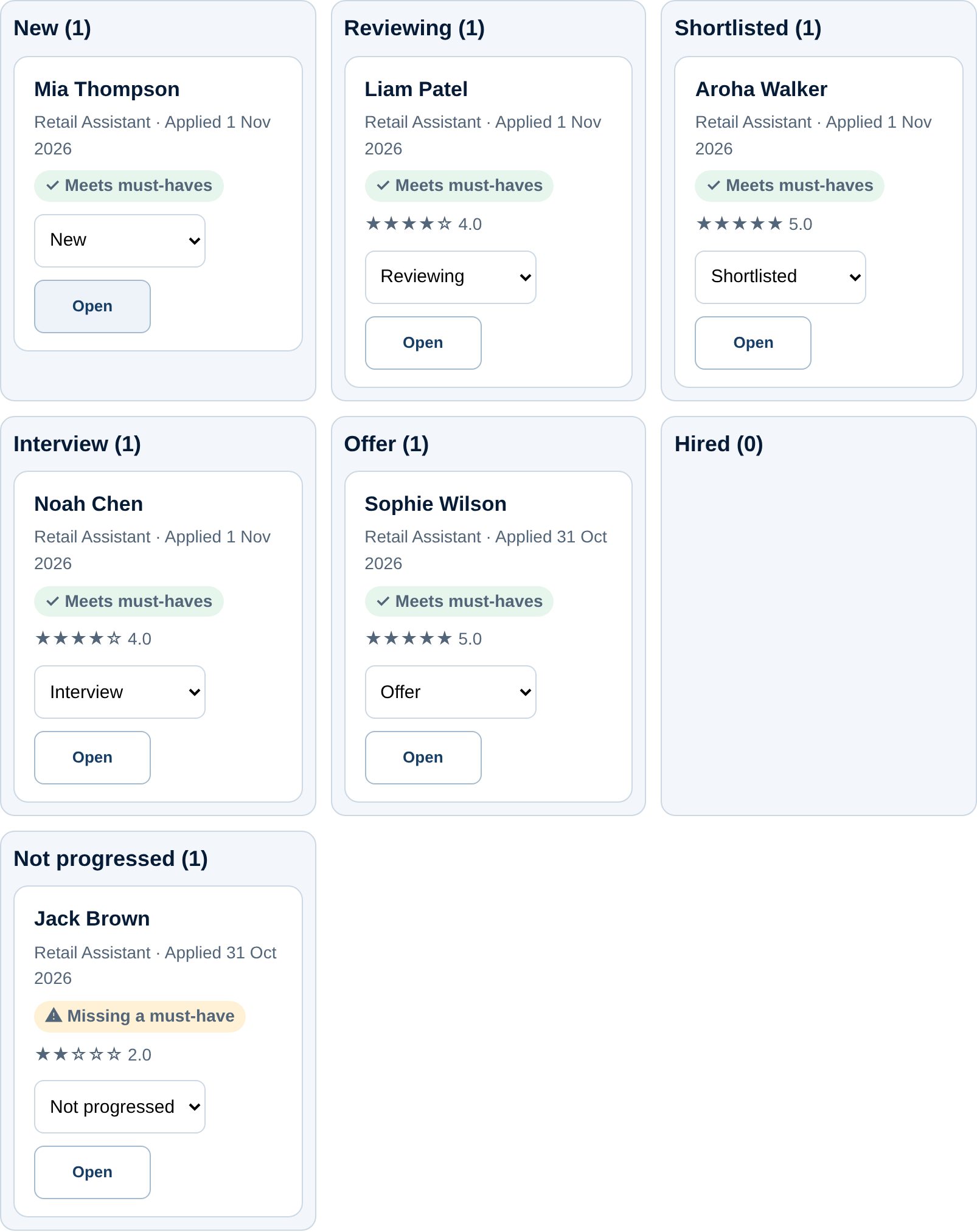
Move people from New to Interview to Hired by dragging their card — or with one tap on your phone. Everyone on your team knows where things stand.
- Seven clear stages
- Drag and drop on desktop
- One-tap “Move to” on mobile
Look professional. Reply to everyone.
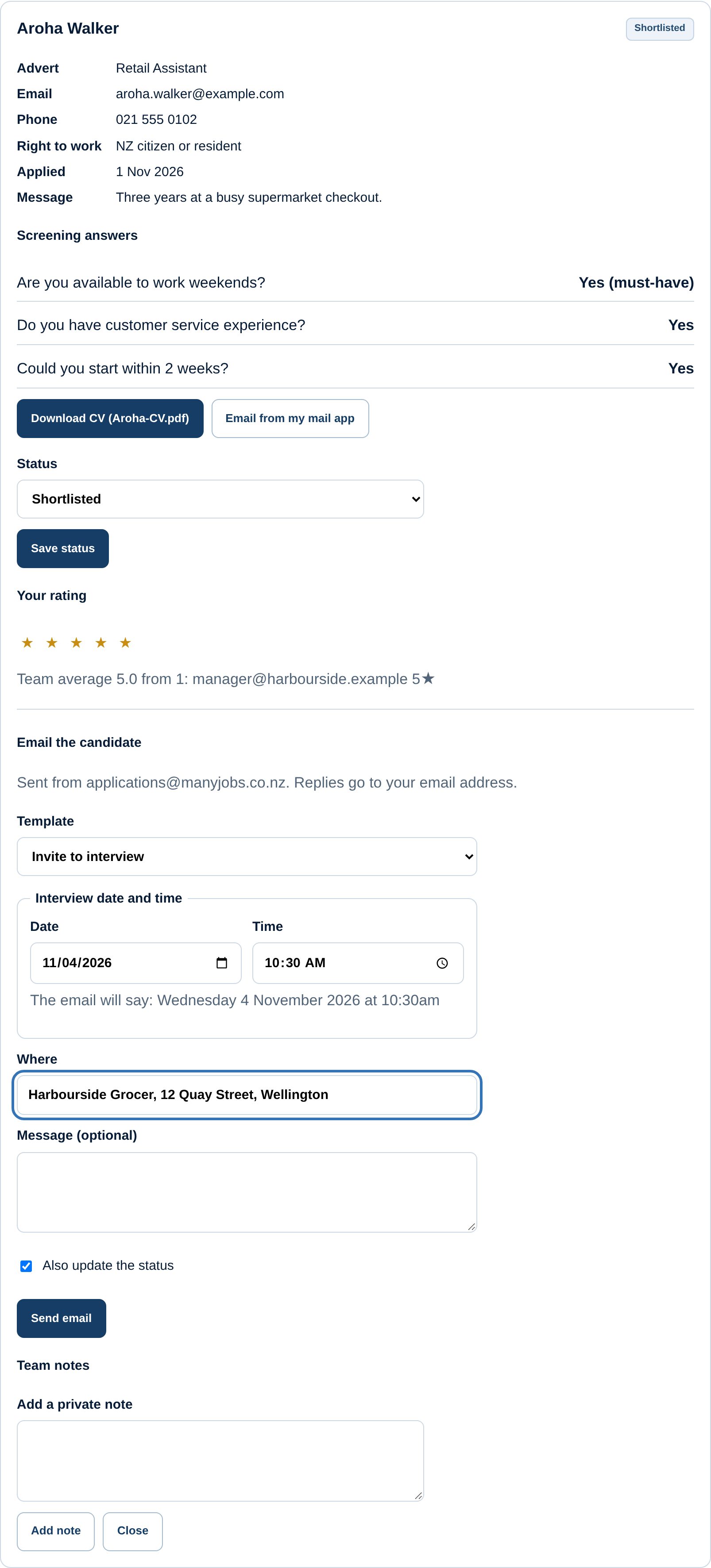
Send interview invitations with a date and time picker, ask a quick question, or let unsuccessful applicants know kindly — individually or in bulk. Replies come straight back to you.
- Interview invites with date, time and place
- Polite “not progressed” messages in bulk
- Every email logged on the applicant
Built for busy New Zealand businesses.
A smarter way than an email inbox.
| Email inbox | ManyJobs hiring tools | Separate hiring software | |
|---|---|---|---|
| Cost | Free | Free during launch | Usually a monthly subscription |
| Setup | None, but it gets messy | Choose “On ManyJobs” on your advert | Setup, integration and training |
| All CVs in one place | Scattered across email | Yes | Yes |
| Screening questions | No | Yes, with must-haves | Usually |
| Candidate emails | Written one by one | Templates, single or bulk | Usually |
| Works on your phone | Yes | Yes | Varies |
| Automatic CV deletion | Manual | After 12 months | Varies |
Good to know.
Is it really free?
Yes. Applicant tracking is included free for every employer account during our launch period. You still choose an advertising option to publish adverts, as shown on Plans & pricing. Any future pricing for hiring tools will be shown there before it applies to you.
Can I keep using my own website or recruitment system?
Of course. For each advert you choose how candidates apply: on ManyJobs, or through your own website or recruitment system link.
Who can see the CVs?
Only owners, admins and editors in your ManyJobs workspace. CVs are stored privately, downloaded only as files by your team, and deleted 12 months after the advert closes.
What do candidates see?
A simple application form, an email confirmation and — if they have a ManyJobs account — a simple stage such as “Being reviewed” or “Interview”. Your notes and ratings are never shown to them.
Can I ask any screening question?
Questions come from a vetted list so they stay relevant to the job and fair to candidates. Applicants who answer “No” to a must-have can still apply; they’re simply flagged for you.
Ready for your next hire?
Create your free employer account and post your first advert today.
Screens show the real ManyJobs hiring tools with example data. Names are fictional.